

Snap the worksheet.
We take it from there.
Wizbinder reads your child's school papers, works out where they've got to in the syllabus, and sets practice at exactly that level, then keeps aiming it at whatever they're getting wrong.
Invite-only while we're in soft launch · Two kid profiles free


How it works
You snap the paper. The rest runs itself.
You never have to tell us what your child is learning this term. The paper they bring home already says it. Scan it, and their place in the syllabus moves with them.
 1
1
Snap what comes home
Scan the worksheet, the dictation, the exam paper, or pick a PDF. We straighten the pages and read every question off them, diagrams and tables included.
 2
2
School progress tracks itself
Every question is matched to a curriculum sub-unit, so the paper tells us what class has covered and how far along they are. Your child's position in the syllabus updates on its own.
 3
3
Practice at their level
Sets are built from where your child actually is: the unit school is on now, at the difficulty they're ready for. Not a generic P4 worksheet.
 4
4
It aims at the weak spots
Every answer updates the picture. Skills they're getting wrong come back more often; skills they've nailed drop out. The practice follows the gaps without you managing it.
Features
You don't have to run any of it. You get to see all of it.

Snap a paper. Get questions.
Point your phone at a past paper, a photocopied worksheet, a school handout. Wizbinder straightens the pages into a PDF and extracts each question with its figures, options and marks intact.
- Scan with the camera, or upload a PDF you already have
- Layout-aware: grids, number lines and diagrams survive
- Confirm the name, subject and grade when it's done

See exactly where they are in the curriculum.
The full HK primary syllabus, unit by unit and sub-unit by sub-unit, colour-coded by how your child is actually doing. Tap a weak spot and build a set from it on the spot.
- Needs work / OK / Strong / Mastered, per sub-unit
- Mastery is earned: 40 questions at 90% correct
- Mark a unit mastered by hand if school already covered it

Practice that looks like a game, not homework.
Kid mode is its own app: full-screen, landscape, big targets, no menus to get lost in. Hints when they're stuck, a scratch pad to show working, and a cheer when they get it.
- Missions of ~10 questions, about three minutes each
- Instant marking with a worked explanation


New practice every morning, aimed at the weak spots.
Switch on auto-generate and a fresh set is waiting each day at midnight, built from the skills your child is weakest at and the unit they're currently on, not a random shuffle.
- Pick the subject and how many sets a day
- Pauses itself when sets pile up unfinished
- Maths questions are generated exactly, not guessed by a model

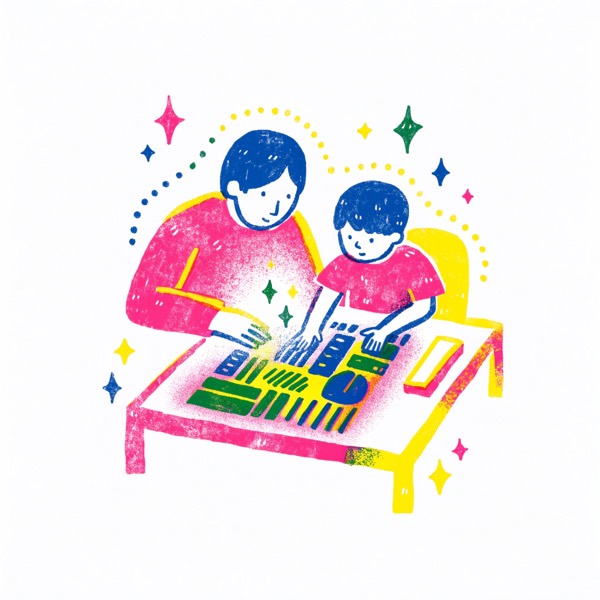
Mock papers you can print.
Turn any uploaded paper into a fresh one with the same shape and the same skills, but different numbers and different wording. Print it, sit it at the table, mark it with the answer key.
- Same structure and mark scheme as the original
- Answer key and per-question skill tags on demand
- Print, or save as PDF

A week in review, in thirty seconds.
Every week, a card deck: what they practised, the strongest skill, the one worth focusing on next, and whether the curve is going up. Shareable with the other parent.
- Accuracy trend, practice minutes, skills newly mastered
- “Practise this next” builds the set in one tap
- Weekly nudge when it's gone quiet


Papers are better shared.
One parent scans the paper, the whole class benefits. Share a file to another parent's username; they accept it and it lands in their child's library, already extracted and tagged.
- Share by username, no email addresses swapped
- They accept, decline, or you revoke it later
- Choose whether it counts toward their child's progress

Also in the box
The small things that make it stick.

Bilingual, properly
The whole app, parent and kid, in English or traditional Chinese. Questions can be practised in either language.
One profile per child
Separate libraries, separate progress, separate subjects. Siblings never see each other's sets.
Show your working
A scratch pad on every question. What they wrote is saved next to the answer, so you can see where it went wrong.
Pick the subjects
The real HK primary catalogue, per child. Turn on what school is actually teaching this year.
Your data stays yours
Every paper is scoped to your account at the database level. Answers never reach the child's device before they've answered.
Print and mark by hand
Any set or mock paper prints as a clean exam sheet, with the answer key on a toggle for you.
Launch offer
Two kids free.
Wizbinder is invite-only while we're in soft launch, and the free trial tapers: join in the first month and you get 90 days, the second month 60, the third 30. Everyone's trial ends in the same window, so join early.
No card needed to start. After the trial, one subscription per child. Cancel any child, any time, and they keep access until the period ends.
 Free
Free
for your first two kid profiles
- Unlimited practice sets
- Monthly page allowance for scanning papers
- Mock paper generation
- Weekly reviews and progress tracking
- Paper sharing with other parents
FAQ
Questions parents actually ask.
What can I upload?
Past papers, school worksheets, tutorial handouts, exercise book pages, as a PDF or photographed page by page with your phone.
Which subjects and grades?
Hong Kong primary, P1 to P6. Maths has the deepest coverage: every unit of the local syllabus is mapped, and maths questions are generated exactly rather than written by a language model. Chinese, English, General Studies and a dozen more subjects work from the papers you upload, and you tick which ones your school actually teaches.
Is my child's data safe?
Each family's papers and results are isolated at the database level, not just in the interface. Kid mode is locked behind a parent PIN, and the correct answers aren't sent to the child's device until they've answered.
Do I need an invite code?
Right now, yes. Every existing parent has a code to pass on. Ask the parent who told you about Wizbinder, or the WhatsApp group they told you about it in.
Can my kid use it on an iPad?
Yes. Kid mode is built for a tablet held landscape, and there's an iOS app. Parents can use any browser.
What happens when the trial ends?
Each child becomes a separate subscription: add one, cancel one, without touching the others. A cancelled child keeps full access until the paid period ends.

The paper's already in your bag.
Scan it tonight, and there's practice waiting tomorrow morning.